Waveform player
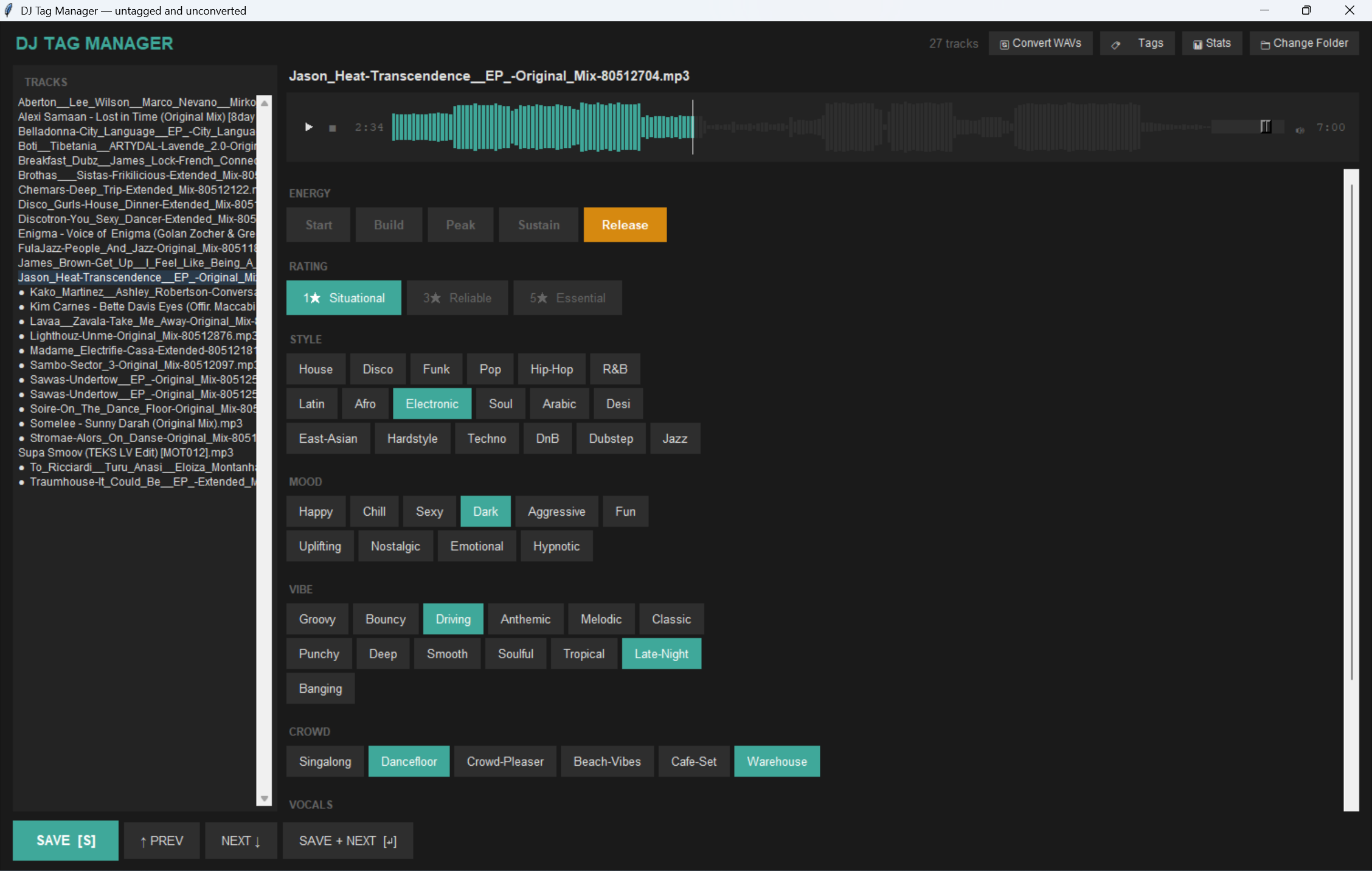
Click-to-seek waveform with playhead and time display. Hear the track, tag the track.
Open source · MIT · Python
A lightweight DJ tagging GUI that writes metadata directly into your audio files — so your tags survive re-imports, library moves, and new DJ setups.
Standard ID3, VorbisComment and MP4 atoms — not a proprietary database. Move the file, keep the tags.
Switch from Rekordbox to Engine DJ tomorrow. Your energy, ratings and vibe tags come along for the ride.
Right-click → Reload Tags in Rekordbox and everything you tagged appears. No re-import, no rebuild.
Features
Keyboard-first. No mouse hunting. Tag a folder of forty tracks in one sitting without losing your flow.
Click-to-seek waveform with playhead and time display. Hear the track, tag the track.
Space play · S save · ↵ save+next · ↑↓ navigate. Stay on the home row.
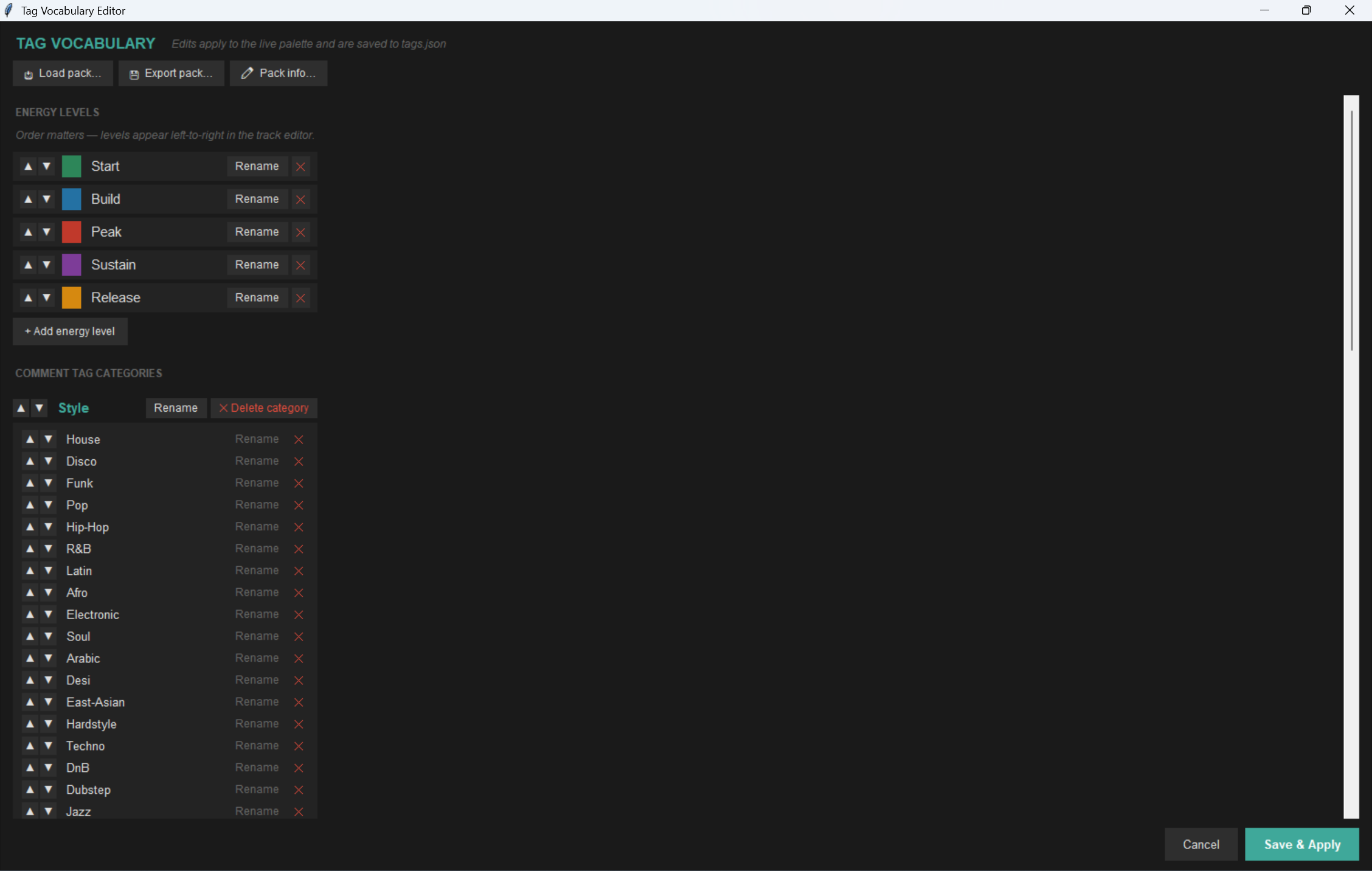
Add, rename, recolor or reorder energy levels and tag categories without touching code. Saves to tags.json.
Rename a tag and existing files keep their old strings. The legacy panel lets you spot and clear them per-track.
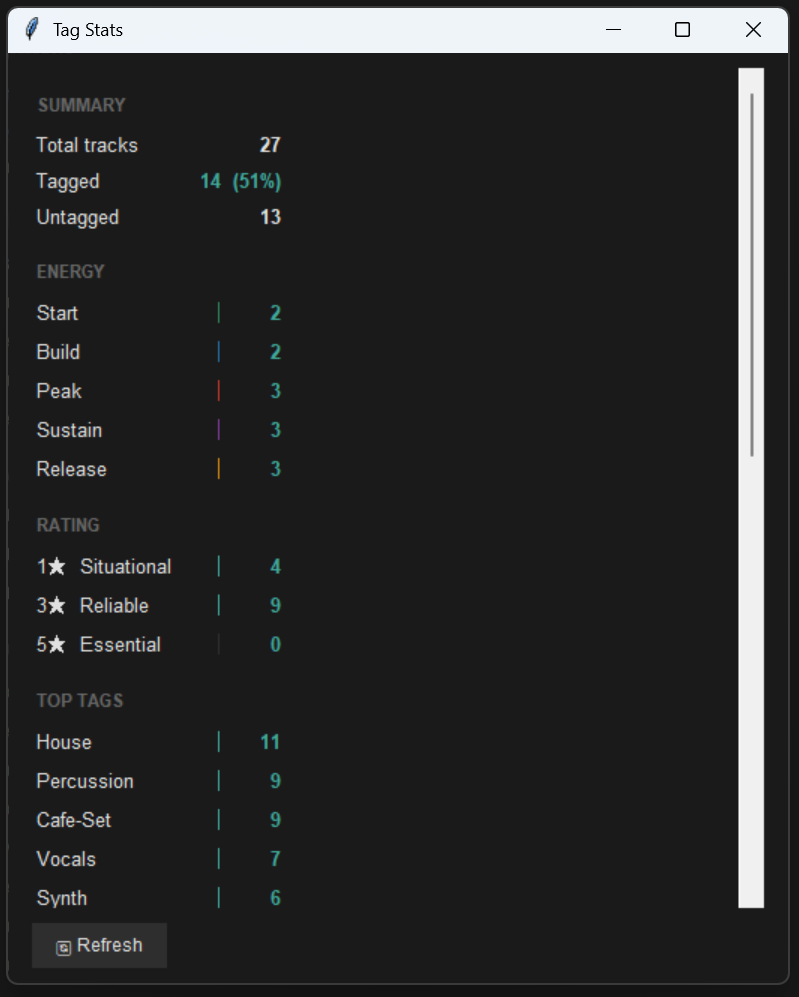
See how many tracks are tagged, energy/rating distribution and which tags you actually use.
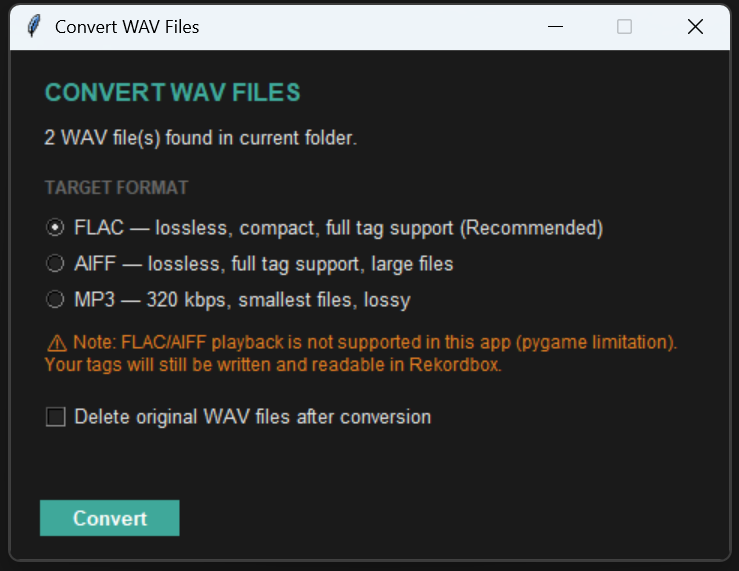
Batch-convert WAVs to FLAC, AIFF or MP3 with full tag preservation. Built in.
Export your vocabulary as a JSON pack and share it. Load bundled presets — or merge a friend's pack into yours without losing your own tags.
The vocabulary
Built for the Little Data Lotta Love philosophy. Three to seven tags per track. Searchable. Mixable. Yours to customise.
Customise everything in the in-app editor — the defaults are just a starting point, and you can load a different pack if a different style suits you better.
Tag packs
A tag pack is a small JSON file that captures an entire tagging vocabulary — energy levels, colours, comment categories. Load one to skip the blank-page problem. Export your own to share with a friend or contribute back.
Open 🏷️ Tags → 📥 Load pack… and pick a bundled preset, or browse to a JSON file someone sent you.
Replace swaps your vocabulary for the pack. Merge adds new tags on top of yours — your custom colours and tag order are preserved.
Hit 💾 Export pack… to save your current setup as JSON. DM it, post it, or attach it to an issue.
Open the Submit a tag pack issue, attach your file, done. No Git required.
See presets/ in the repo for the full file format and conventions.
Workflow
Drop your fresh purchases into a prep folder. WAV, MP3, FLAC, AIFF, M4A — any mix.
Open the folder. Preview each track in the built-in player. Hit the energy, rating and vibe buttons.
One click batch-converts WAV → FLAC. Tags preserved, file sizes shrunk, Rekordbox-ready.
Import into Rekordbox / Engine / Serato. Reload tags. Search by mood. Build sets on the fly.
Format support
Use the built-in 🔄 Convert WAVs tool to upgrade WAV files to FLAC and unlock full comment-tag support in Rekordbox.
Get started
$ git clone https://github.com/martinctc/track-tag-manager
$ cd track-tag-manager
$ pip install -r requirements.txt
$ python tag_manager.py
Requires Python 3.10+ and ffmpeg for waveform display and the WAV converter.